Frequently Asked Questions
Applicability
Sprockler can collect responses both online and offline, depending on how the inquiry is set up. By default, respondents use a web browser to access a link and submit their responses online. Sprockler also offers mobile apps (IOS and Android) that allow responses to be collected without an Internet connection. This is especially useful for fieldwork or in areas with limited connectivity. An Internet connection is only needed when the responses are uploaded to the server.
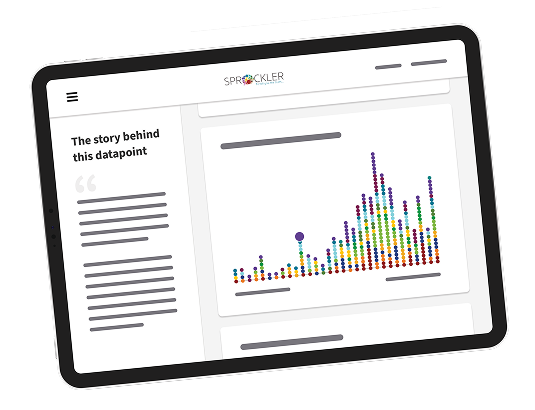
Sprockler includes a powerful online tool, called the Visualizer, that displays interactive reports of the collected data. Viewing results requires an Internet connection and a web browser.
Sprockler supports response collection in a wide range of languages, including:
- Left-to-right scripts (e.g., English, Spanish, Dutch)
- Right-to-left scripts (e.g., Arabic, Hebrew, Urdu)
- Complex scripts (e.g., Thai)
Sprockler does not support vertical writing systems, such as traditional top-to-bottom layouts in Chinese, Japanese, or Korean. These languages can still be used as long as they are input in a horizontal format. If you're unsure whether a specific language is supported, feel free to reach out.
Yes, inquiries can be written in any language or dialect. The system interface with buttons like “Next” and “Save” however is only available in a selection of major languages. If your chosen language isn’t available, you have two options:
- Use interface buttons in another supported language.
- Provide translations of the interface buttons, and we can install them for you.
Yes. Sprockler inquiries can be customized to suit different age groups, including children. Visual elements, such as picture pointer questions, make it easier for children to understand and engage with the content. Depending on their age and digital skills, older children may even be able to create their own inquiries using our user-friendly design tools.
Pricing and Flexibility
Yes, you can scale up to do more; Sprockler allows flexibility in managing your subscription.
Upgrading
You can upgrade to a higher-tier package— Spark → Flame or Flame → Fire—at any time.
- If you upgrade within the first 2 months of your current subscription: You’ll receive a credit equal to 50% of your current package’s annual price, applied to the new package. A new 12-month billing cycle begins immediately.
- If you upgrade after 2 months: No credit is applied. The full annual price of the new package is charged, and your new billing cycle starts from the upgrade date.
Downgrading
If you want to continue working on your inquiry after 1 year, but need a smaller subscription, you can renew and downgrade your subscription.
The standard discount for extending a plan will be applied to your new subscription.
We want Sprockler to be accessible to organizations of all sizes. This includes grassroots initiatives, small nonprofits, or larger institutions working under funding constraints. We recognize that equitable access to tools for insight and action is essential, especially for those serving communities that are often unheard or underserved.
In cases where budget is a barrier, we may explore a model we call appreciative valuation: a collaborative conversation to arrive at a fair price that reflects both the value of the work and your organization’s financial reality. If this sounds relevant to your situation, we welcome you to get in touch.
Practical
Setting up a project in Sprockler is a guided process. You don’t need to be a tech expert. Most users can create an inquiry, define questions, and start collecting responses using our built-in tools and documentation.
That said, every project is different. Some users design and run their projects independently, while others choose to collaborate with us for support on design, translation, or sensemaking. We're here to help you find the right level of support. You can find more information on our consultancy services and support packages in our Services page.
No technical skills are required. If you're comfortable using a computer and navigating online tools, you’ll find Sprockler intuitive. Our documentation walks you through the process, and a free trial account is a great way to explore how it works.
We also offer open and in-house training workshops. Visit the website for the latest news.
We do not store identifying information like IP addresses. If anonymity is important to your project, we recommend writing questions carefully to avoid unintentionally identifying respondents. You can also advise respondents not to include personal details in open-ended responses. If they do, you can review and edit stories or responses directly within the platform before using them.
Technical - About your data
Your data is always yours. You can download it while your subscription is active. Your data is stored securely on our server for your use, and you can choose to extend your subscription to access it and download new responses beyond the first year. More details are available in our Privacy Policy.
All data collected through the Sprockler app or web-based collector is stored on secure servers located in the Netherlands. We take data security very seriously! See our Privacy Policy for details.
Yes. You can download:
- Your questions in Word format
- Collected responses in CSV or Excel
- Any attached media (audio, video, images)
Sprockler exports data in standard formats (CSV and Excel), which makes it easy to import into external tools like Tableau, R, or SPSS for additional analysis. At this time, we do not offer direct API integrations.
Try it out for free!
Craft your first Sprockler research project without any costs involved.